
WhatsApp Business
Send messages, automated replies, notifications, and integrate templates.
Learn more →Build automated workflows for customer messages, notifications, support, and application integrations in one platform connected to the ExplosionText ecosystem.
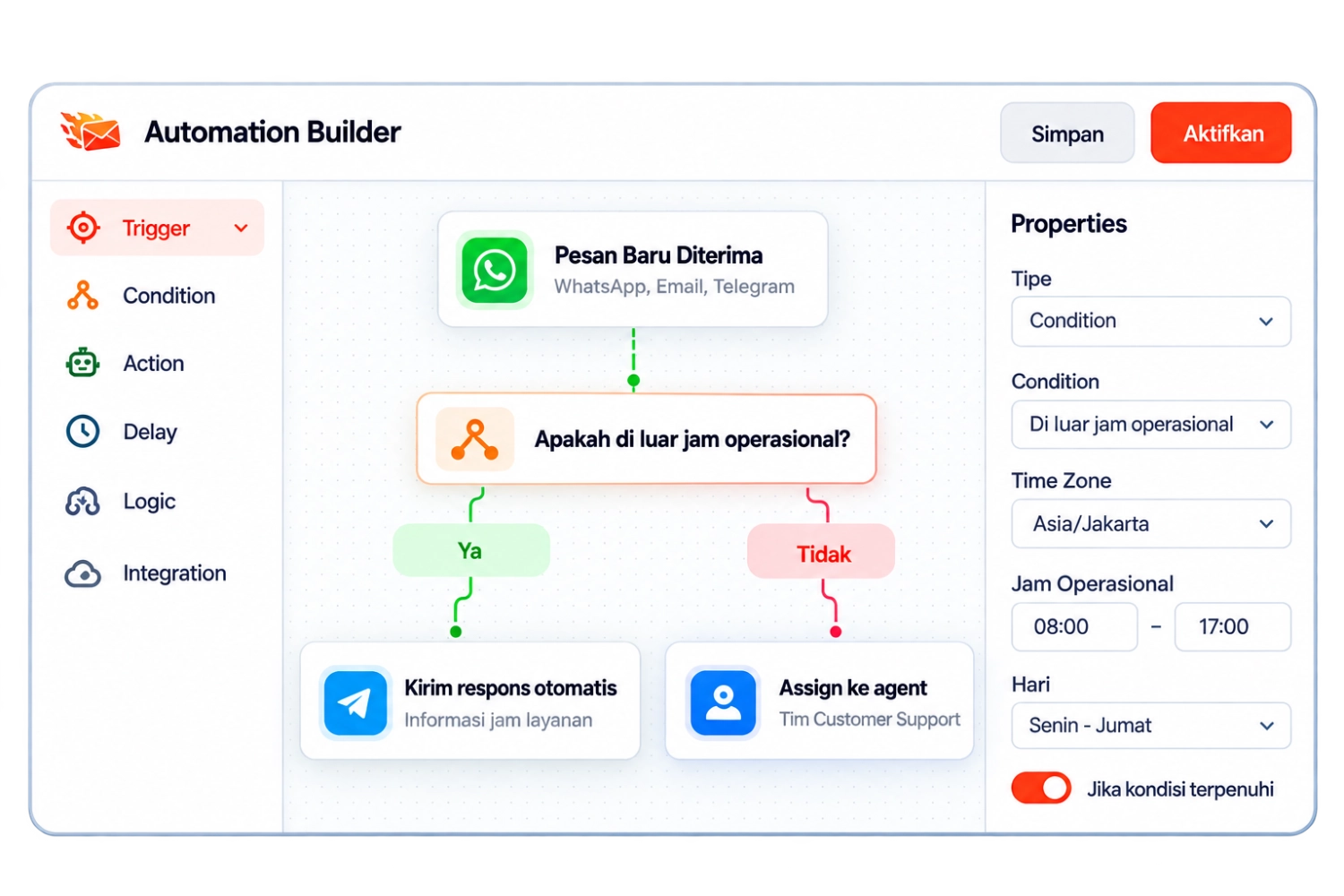
Use communication channels in automated workflows to deliver faster, more consistent customer experiences.
Send messages, automated replies, notifications, and integrate templates.
Learn more →Notifications, verification, and bulk communications.
Learn more →Transactional email, notifications, and automated follow-ups.
Learn more →Send messages and notifications through Telegram Bot.
Learn more →From simple triggers to complex integrations, ExplosionText Automation offers features to support your business needs.
Design workflows with a node-based visual editor.
Start workflows from incoming messages, status changes, or system events.
Run different actions based on rules and conditions.
Send messages, assign agents, update data, or call APIs.
Set delays and schedules for workflow execution.
Connect workflows across WhatsApp, SMS, Telegram, and Email.
Integrate with external applications and services.
Monitor execution results, errors, and workflow history.
Build a workflow using Trigger → Condition → Action to automate your business communication and operations.
See Workflow Examples →Contacts, conversations, messages, or tickets.
Check relevant data.
Run supported actions.
See the result of each step.
Use templates designed for different business needs and adapt them to your own workflows.
Automatically respond when a customer message arrives.
Route conversations to teams based on rules.
Create tickets from incoming messages or forms.
Send notifications to teams or external systems.
Schedule follow-ups based on time and conditions.
Run actions from another application's webhook.
Automation works with ExplosionText products to offer a more complete communication solution.
Improve operational efficiency, speed up customer service, and build better communication experiences.
Ticket assignment and priorities.
Rules for teamwork.
Customer conversation context.
Explore workspace integrations.
View execution statistics, success rates, and workflow performance to help keep processes running smoothly.
See Dashboard Example →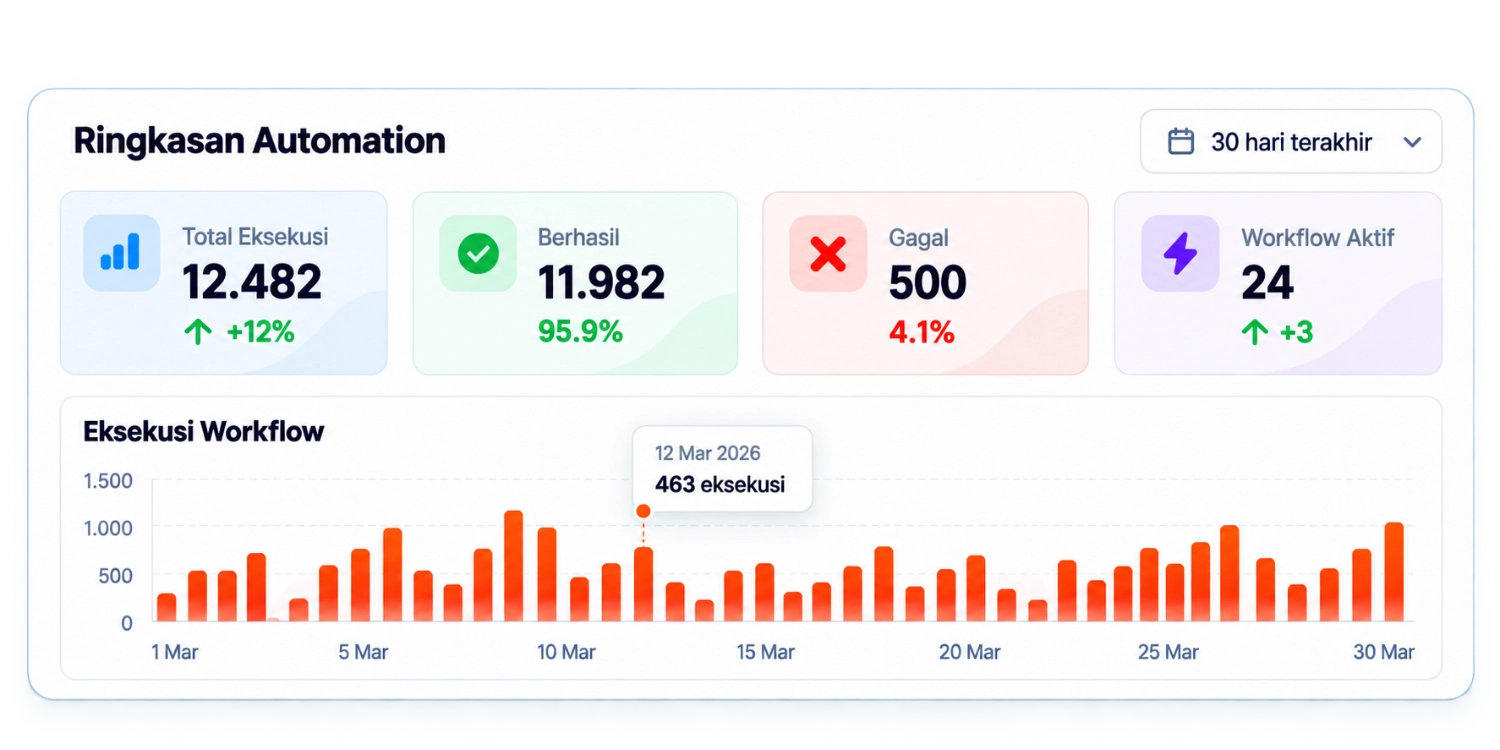
Build automated workflows suited to your business needs and improve team efficiency.
Workflows support various contact, conversation, message, and ticket events.
Execution history and workflow steps can be reviewed in the workspace.
Workflows can be published, paused, and resumed according to user access.
Explore the developer platform to learn about available API and webhook capabilities.