
REST API
Integrate ExplosionText capabilities with applications and business systems through a consistent API.
- Messaging API
- Email API
- Contacts API
- Support API
- and more
Connect your applications and business systems to Messaging, Email, Customer Support, Automation, and AI through REST API, Webhooks, and developer tools in one integrated platform.
Integrate ExplosionText capabilities with applications and business systems through a consistent API.
Receive real-time event notifications in your systems.
Build connections to websites, ERP, CRM, and applications using integration examples and SDKs.
Comprehensive guides for starting integrations, endpoint references, and tutorials.
Access messaging, email, support, automation, knowledge, and AI capabilities through a consistent API.
Send messages, check status, and access message logs.
Transactional email and delivery events.
Manage contacts and contact points.
Customer conversations and messages.
Tickets, assignments, and ticket status.
Workflows and executions.
Articles, search, and content management.
AI assistant, chatbot, and agent execution.
Connectors and integrations with your systems.
Explore messaging capabilities with easy-to-understand request and response examples.
{
  "channel": "whatsapp",
  "to": "+6281234567890",
  "message": {
    "type": "text",
    "text": "Halo dari ExplosionText"
  }
}{
"success": true,
"data": {
"message_id": "msg_123456",
"status": "queued",
"to": "+6281234567890"
}
}Create, configure, and monitor API credentials for your integration needs.
Receive automatic updates when important activity occurs in ExplosionText.
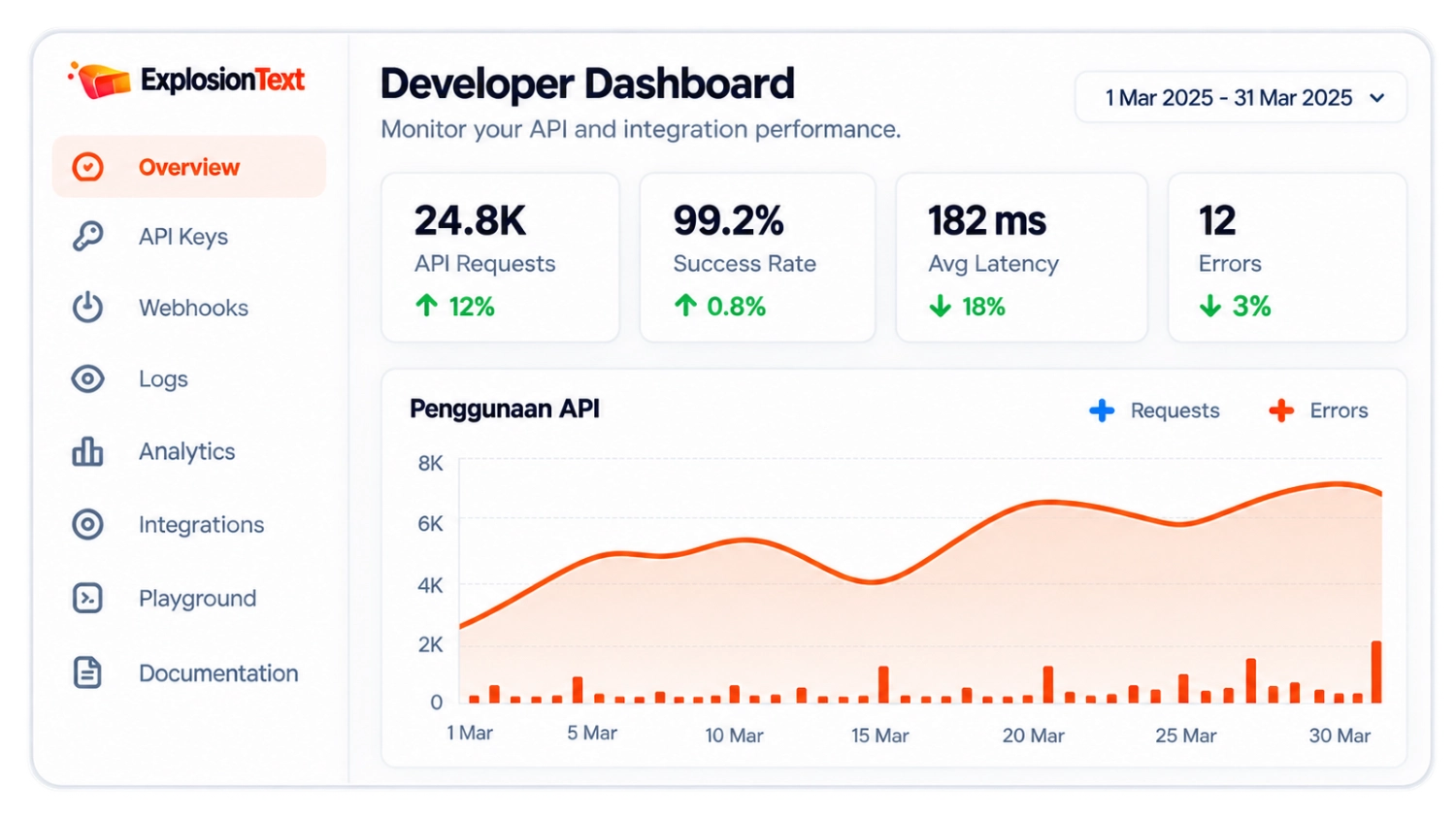
View API request statistics, success rates, latency, and errors in one dashboard.
Integrate with custom applications.
Build mobile applications.
Synchronize data and business processes.
Order and customer notifications.
API keys are managed through the workspace according to access rights.
Webhooks send events to the configured endpoint.
Sandbox availability must be confirmed.
Rate limits depend on the endpoint and configuration.
Available channels and endpoints must be confirmed.
Check the status and error message in the API response.
Build better communication experiences with the ExplosionText Developer Platform.