
Helpdesk Management
An operations hub for support teams to handle requests, share work, and collaborate on customer issues.
- Team and agent management
- Queues and routing
- Internal notes and collaboration
- Cross-channel integrations
Simplify customer service with centralized helpdesk and ticket management. Manage support requests, distribute tickets, monitor SLA, and improve service quality in one platform.

An operations hub for support teams to handle requests, share work, and collaborate on customer issues.
Manage each case through a structured process, from ticket creation to resolution, escalation, and closure.
From ticket management to SLA and analytics, ExplosionText Support provides features to improve customer service quality.
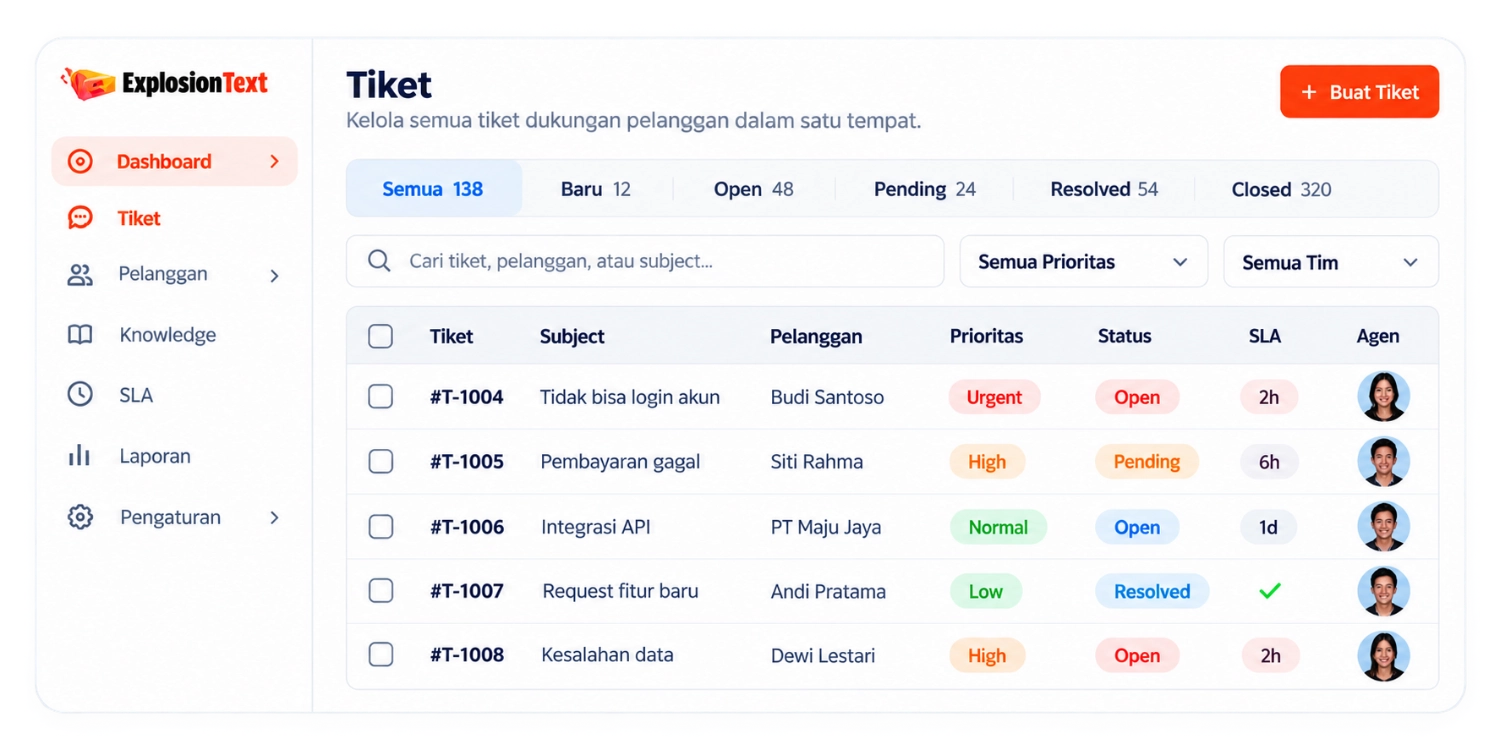
Create, manage, and monitor customer tickets.
New, Open, Pending, Resolved, and Closed statuses.
Distribute tickets to teams and agents.
Low, Normal, High, Urgent.
Monitor response and resolution targets.
Escalate according to rules and responsibilities.
Internal discussions, notes, and agent handoffs.
Group tickets by issue and topic.
Customer identity and interaction history.
Notifications for new tickets, assignments, and SLA.
Search tickets by status, agent, priority, and customer.
Monitor service performance and resolution quality.
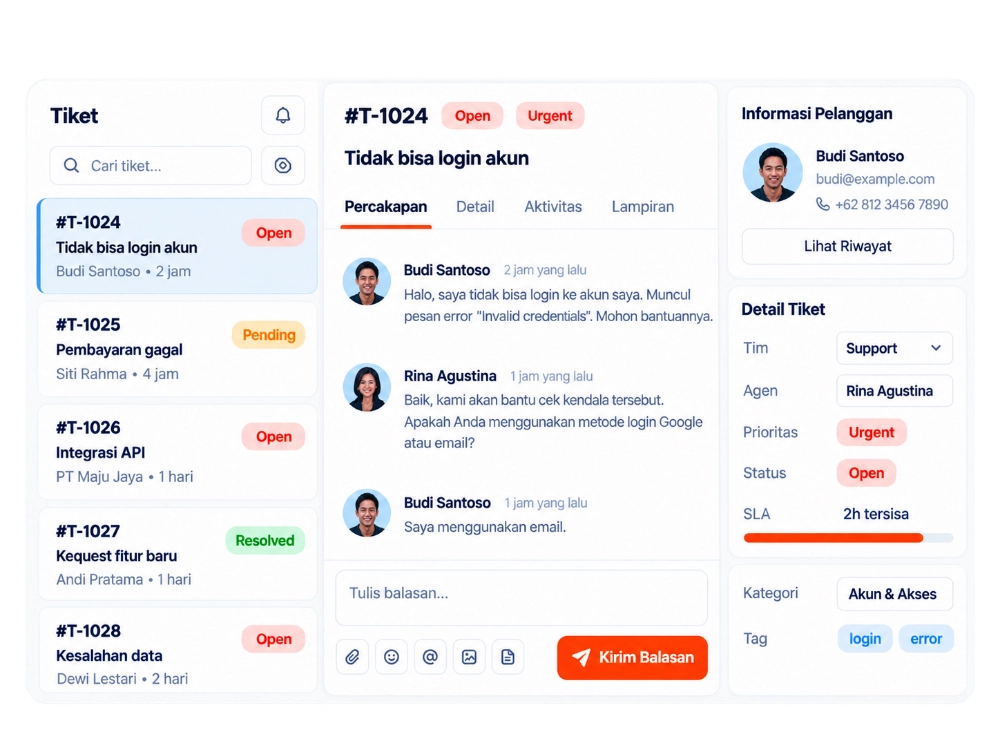
Manage tickets, view conversation details, access customer information, and collaborate with your team in one intuitive interface.

Each ticket follows a clear, structured process so customer requests are not overlooked.
Monitor SLA, receive notifications as deadlines approach, and automatically escalate tickets according to your business rules.
Receive tickets from multiple channels and use the ExplosionText ecosystem to provide faster, better customer service.
Enable a customer support portal to submit tickets, view status, and find solutions through the knowledge base.
Submit support tickets, track status, and find answers.
Manage customer questions, complaints, and requests.
Order, payment, and delivery issues.
Technical requests, access, and service incidents.
Coordinate requests across company units.
Inbox helps manage conversations, while Support focuses on tickets and case resolution.
Ticket statuses follow the workflow available on the platform.
SLA helps define target response and ticket resolution times.
Ticket and conversation relationships can be managed in the workspace.
Availability of automated ticket creation must be confirmed.
Availability of the customer support portal must be confirmed.